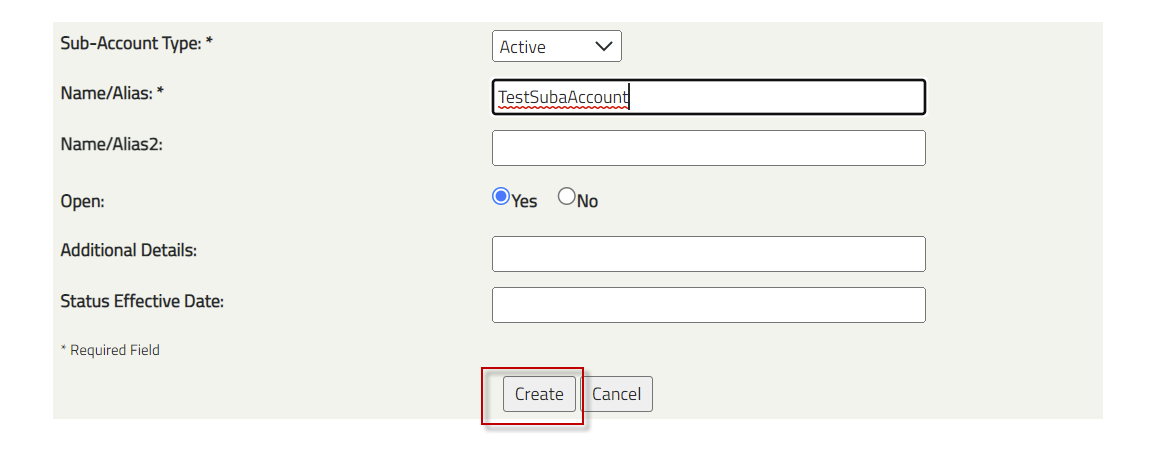
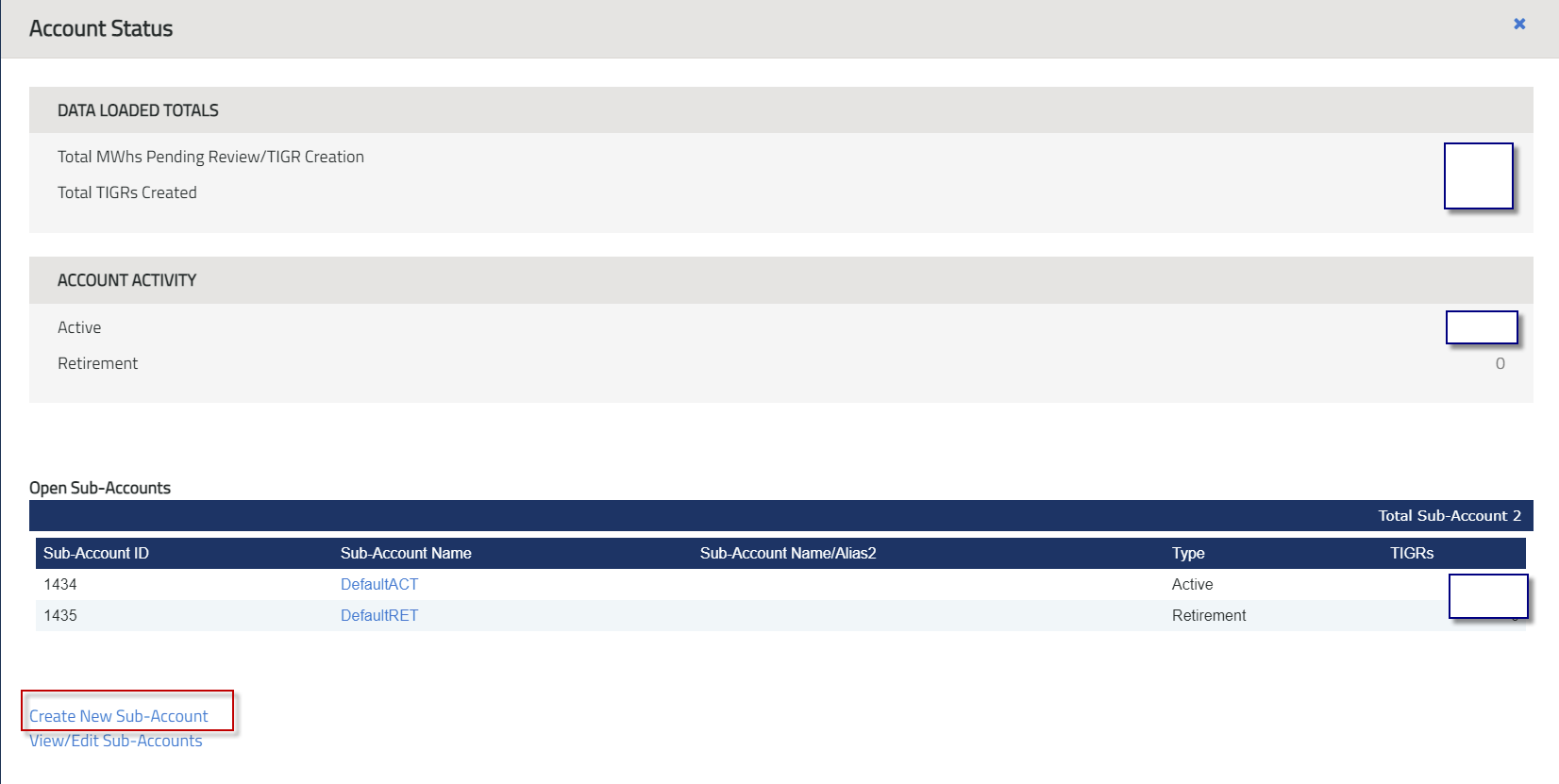
All account holders who are approved in the registry will have automatically have two subaccounts open on their behalf. One is called Default Act (Active) which is where all RECs issuances and transfers RECs are located. Second is the Default Ret (Retirement) which is where all the retirements are located. Account holders have the option of creating additional active or retirement accounts and there is no limit to how many can be created. Listed below are steps on how to create subaccounts.
1. Navigate to the Account Status Module. Click on New Sub-Account.
2. Select the type of subaccount to create, either Active or Retirement.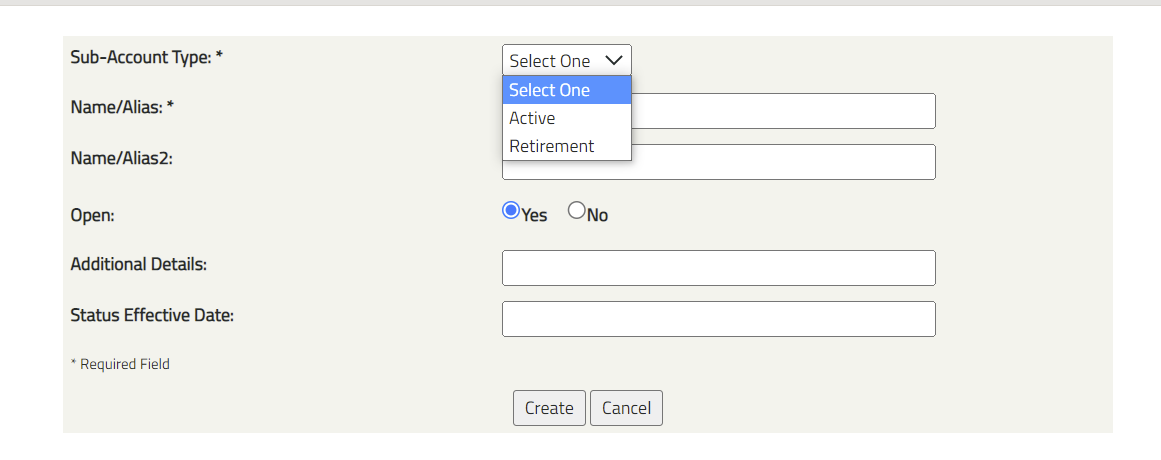
3. Name the Subaccount.